← Explore the Kids Game & AI Lab
Teaching fit: Ages 8–12; some Scratch helps · Plan for: 45–60 minutes
You need: Scratch on a computer or compatible tablet, with adult support as needed.
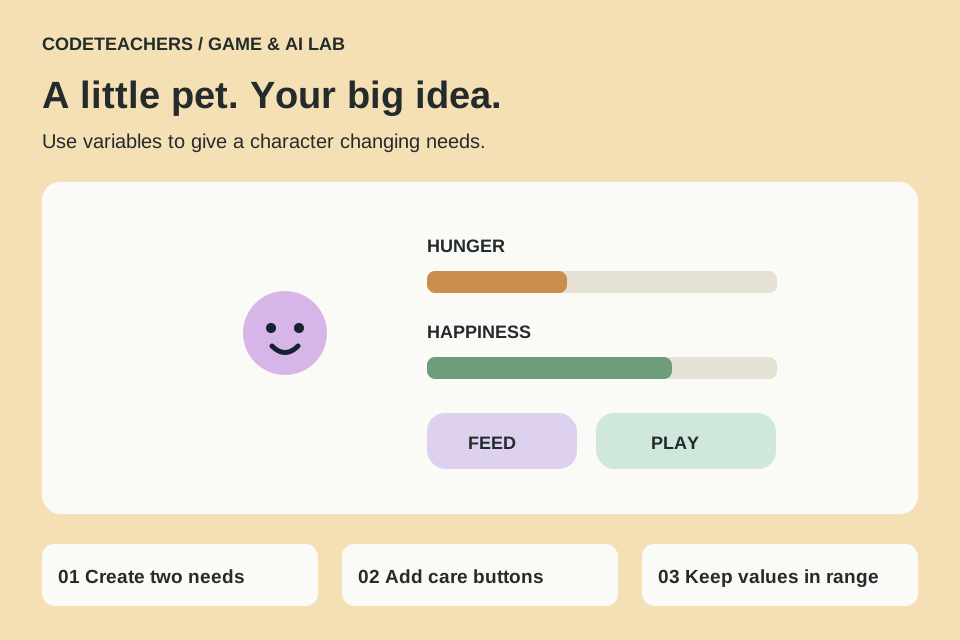
You will make: A pet whose needs change over time and respond to two buttons.
STEP 01
Draw your pet and two buttons.
Create a Pet sprite and two more sprites named Feed and Play. Paint the words on the buttons and keep them separate from the pet. Make two variables, Hunger and Happiness, for all sprites. Use a scale from 0 to 10: 0 hunger means full; 10 happiness means delighted.
STEP 02
Give the pet changing needs.
On Pet, build the following stack. The limits stop values growing beyond the scale. The pet is a simplified game character, not a model of real animal care.
when green flag clicked
set [Hunger] to (3)
set [Happiness] to (7)
forever
  wait (3) seconds
  if <(Hunger) < (10)> then
    change [Hunger] by (1)
  end
  if <(Happiness) > (0)> then
    change [Happiness] by (-1)
  end
end
STEP 03
Make the care buttons work.
On Feed: when this sprite clicked → broadcast feed. On Play: when this sprite clicked → broadcast play. Then add these two separate event stacks to Pet. Broadcasts let one sprite tell another that something happened.
when I receive [feed]
change [Hunger] by (-2)
if <(Hunger) < (0)> then
  set [Hunger] to (0)
end

when I receive [play]
change [Happiness] by (2)
if <(Happiness) > (10)> then
  set [Happiness] to (10)
end
STEP 04
Show how the pet feels.
Add a second green-flag stack to Pet. Inside forever, use if Hunger > 6 then say “Snack time?” else if Happiness < 4 then say “Let’s play!” else say “Hello, friend!” Use say without a seconds value, followed by wait 0.2 seconds. Choose which need gets priority and explain that choice. Add two costumes and switch them in these branches if you want a visual response.
STEP 05
Fix surprising behavior.
If clicking Feed does nothing, compare the broadcast and receive message names. If the values go outside 0–10, check the clamps are after each button update. If speech flickers, use one stack to choose the message instead of several stacks talking at once. Save the project to your computer.
Test it before you call it finished.
- Hunger grows and happiness falls after waiting.
- Feed and Play change the correct variables.
- Repeated clicks never push a value beyond its limits.
- Restarting resets both needs.
Make it yours.
Draw a robot, dragon or underwater pet. Add one new need only after the first two work. Explain that your pet follows programmed rules; it is not reading feelings or learning from data.
Show someone your project and explain one decision, one bug you fixed and any help you used. Save a local copy. Ask an adult before publishing a project or sharing identifying information.
← Explore the Kids Game & AI Lab