← Explore the Kids Game & AI Lab
Teaching fit: Ages 13–18 or experienced younger learners · Plan for: 60–90 minutes
You need: A Windows, macOS or Linux computer with the standard Godot 4 editor installed. Adult help for setup.
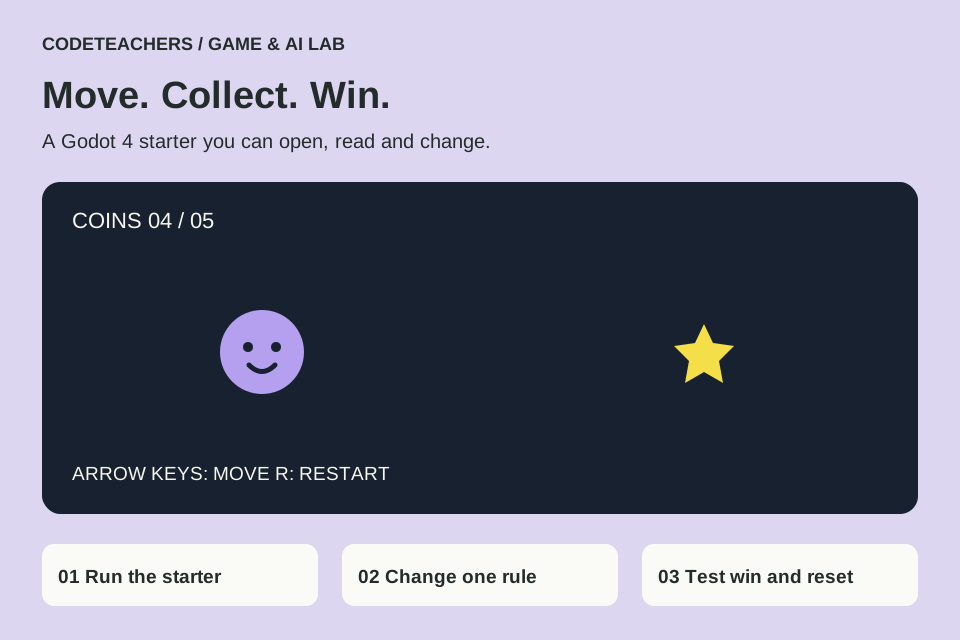
You will make: A local 2D game: move with arrow keys, collect five coins, press R to restart.
STEP 01
Open the starter project.
Download the CodeTeachers Godot starter, unzip it into its own folder, then choose Import in Godot’s project manager and select project.godot. Choose the standard GDScript editor, not a Godot 3 version. Read README.txt first. The project has no plugins, network calls or third-party art.
STEP 02
Play and inspect.
Run the project with F6 for the open scene or F5 for the project. Move with the arrow keys, touch five coins and press R to reset. Open Main.gd. Find the player position, coin position, score, target and speed variables. Find _process(delta), which checks input and updates the player. The multiplication by delta makes movement depend on elapsed time rather than frame count.
STEP 03
Trace a single point.
Follow this sequence in the script: input changes player position; distance to the coin is checked; a catch adds one point; the coin is moved; the drawing is refreshed. The starter uses simple distance checks and custom drawing so there are fewer editor setup steps. Later, use separate scenes and Area2D signals for a larger game.
STEP 04
Change one rule.
Change speed from 220.0 to 150.0. Before running, predict whether movement will become faster or slower. Then change target from 5 to 8 and verify the win message uses the new target. Save a copy before making a bigger change. The source also shows where to edit the background and character colors.
STEP 05
Fix and explain.
If Godot reports a parse error after an edit, read the first error and line number. Compare only that change with your saved working copy. Preserve indentation in GDScript. If nothing moves, click inside the running game to focus it. If the project will not import, confirm that project.godot and Main.gd remain beside Main.tscn in the unzipped folder.
Test it before you call it finished.
- Arrow keys move the player without leaving the play area.
- Touching a coin adds one point and relocates it.
- The game stops adding points at the target.
- R resets the score, player and game state.
Make it yours.
Add one obstacle or a countdown, then test both a win and a loss. Use Godot’s official first-2D-game lessons to learn scenes, collision shapes and signals next. AI help, if used through an eligible account, should explain small changes that you can test yourself.
Show someone your project and explain one decision, one bug you fixed and any help you used. Save a local copy. Ask an adult before publishing a project or sharing identifying information.
← Explore the Kids Game & AI Lab