← Explore the Kids Game & AI Lab
Use this routine after a learner has a small project and can show what they tried. An adult should select tools, follow their current age and account rules, and operate adult-only services. A learning activity does not grant permission to bypass those rules. Younger learners can use Scratch or MakeCode without a general-purpose AI assistant.
STEP 01
Describe what happened.
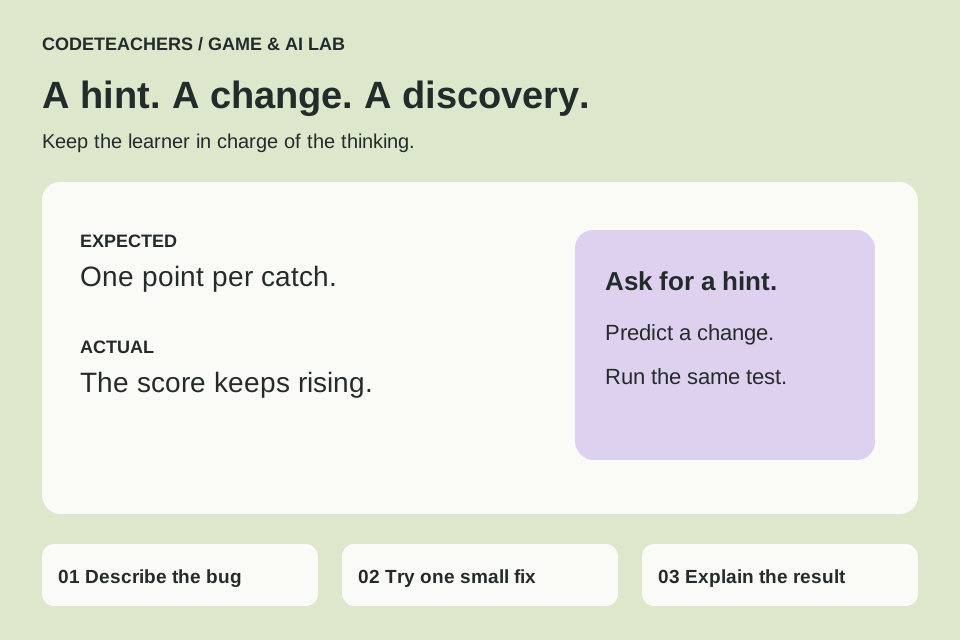
Write three things: what you expected, what actually happened, and the smallest code section involved. Use fictional project names and remove personal information. For example: “I expected one point per catch, but the score rises many times while the star touches the basket.”
STEP 02
Ask for a clue first.
An adult can adapt this prompt in an appropriate tool:
Act as a patient coding coach. We are making [small project] in [tool/version].
Expected: [behavior]. Actual: [behavior].
First ask one useful question or give one hint.
Do not rewrite the whole project. Explain any unfamiliar term.
Help the learner predict a small change, then suggest a test.
If you are unsure which blocks or APIs exist, say so.
STEP 03
Predict, edit and test.
Before applying a suggestion, ask the learner what it will change. Keep a working copy, change one thing, and run the same test. AI may suggest nonexistent blocks, old APIs or a solution that solves a different problem. Compare with the tool’s official documentation and the actual result.
STEP 04
Close the assistant and explain.
Ask the learner to explain the fix in their own words and make a small variation independently. If that is difficult, return to the concept with a simpler example. Record where AI helped in the project notes, along with the student’s own decisions.
STEP 05
Know when to use a different kind of help.
If the same error persists, ask an instructor, use an official tutorial or restore the last working version. Stop if the session becomes frustrating. Do not connect a child’s project to email, payments or unrestricted autonomous tools for a beginner coding exercise.
Test it before you call it finished.
- The learner can describe the original problem.
- Only a small, understood change was applied.
- The project was tested after the change.
- The learner can explain the result without reading the assistant’s answer.
Make it yours.
Keep a short bug journal: symptom, guess, test, result. This makes progress visible even when the first proposed fix fails.
Show someone your project and explain one decision, one bug you fixed and any help you used. Save a local copy. Ask an adult before publishing a project or sharing identifying information.
← Explore the Kids Game & AI Lab