Afterschool · Free interest list

Let’s build something in Boca Raton.

Tell us which school you’d like us to visit. We’re collecting family interest for possible programs; no school partnerships or start dates have been announced.

Request your school

For adult parents and guardians. Start with your contact details, school and grade band. Do not include a child’s name, date of birth, medical details or records.

Checking whether online interest requests are available…

The planned club is for grades 3–5. Other grades help us understand future interest.

Add preferences (optional)
Interested in (choose any)

No payment. No obligation to enroll.

Prefer email? Write to ashley@codeteachers.com.

What happens next?

School approval comes before enrollment. Here’s how your interest helps.

  1. Choose your area

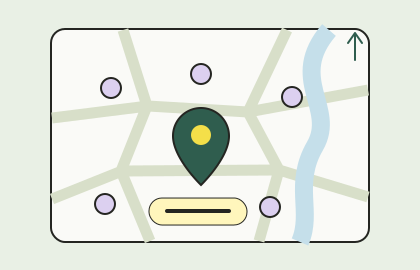
    Start with the area closest to your school. You can request a school that isn’t listed.

  2. Tell us about your school

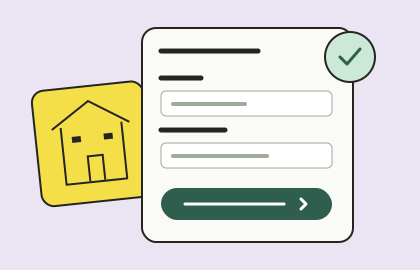
    Share your contact details, school and grade. Joining the interest list is free and does not reserve a seat.

  3. Review the launch details

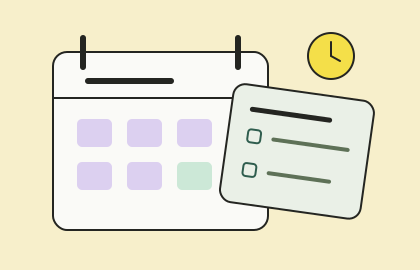
    We use family interest to explore a school partnership. If a program is approved, we’ll share dates, cost and enrollment details.

Try a sample together

Make a character you can control.

A short block-coding practice project for families exploring afterschool coding in Boca Raton. This is a sample activity, not a promise about a confirmed school curriculum.

Allow about 20–30 minutes for a first try. Use a computer with a keyboard and a parent-approved block-coding editor such as Scratch. A grown-up should review the editor’s current access and privacy options. An account, public sharing and an AI chatbot are not required for this exercise. Keep names, school details and photos out of the project.

  1. STEP 01 · BLOCK LOGICWhen green flag clickedSay “Hello!” for 2 seconds
    01

    Choose a character

    Start a blank project and choose a sprite. Connect the green-flag event to a say block. Change the speech to a short greeting.

    Check: Click the green flag. The character says hello once.

  2. STEP 02 · BLOCK LOGICWhen right arrow pressedChange x by 10
    02

    Give it a control

    Make a separate script with the right-arrow event. Connect a change-x block and set its value to 10. Keep this separate from the green-flag script.

    Check: Press the right arrow. The character moves right without changing its height.

  3. STEP 03 · BLOCK LOGICWhen left arrow pressedChange x by −10
    03

    Add a second direction

    Make another script for the left-arrow event. Use change x by −10. The minus sign is what reverses the direction.

    Check: Press left, then right. The two controls move in opposite directions.

4. Find and fix one bug

Change the left-arrow value to positive 10 on purpose. Ask your child to predict what will happen, then test it. Both keys now move the character right. Change the left-arrow value back to −10 and retest both keys. Explain the correction in one sentence: “The key chooses the script; the sign chooses the direction.”

5. Make it your own

Add a backdrop or change the greeting. Then try a starting position: add a “go to x: 0 y: 0” block after the green-flag event. Move the character and restart. It should return to the center. Change one thing at a time so you can tell which change caused a result.

Parent questions about Boca Raton afterschool coding

Use the interest list to help us understand demand. Final program details depend on school approval.

Is a class running at my school?
No school partnership or start date is announced on this page. The listed schools are suggestions you can request. Joining the free interest list does not enroll your child or reserve a seat.
Does my child need coding or AI experience?
The proposed AI Builders Club is designed for grades 3–5. The practice activity above gives families a way to explore interest. Skill expectations, support and the final curriculum will be confirmed for an approved program.
Who teaches, and what supervision is provided?
Read our team and approach. The assigned instructor, supervision, pickup process and any accessibility arrangements should be confirmed for the specific school before enrollment. A biography is not a promise about a particular class assignment.
Will children need their own AI accounts or devices?
No device or account requirement is confirmed for a future school program. Read our age-based AI safety policy; ask about the approved tools and what information is processed before enrollment.
What should I do after joining the interest list?
Watch for a separate announcement if a program is approved. Review the confirmed dates, price, devices, supervision and enrollment terms then. No payment is required to express interest.